


HDFC Bank Mobile Banking 2026
HDFC's mobile banking facility allows customers to manage their bank account on the go. The mobile banking service can be activated by downloading the app and entering the customer ID and IPIN. The same ID and pin can be used to access mobile banking, or you can set up Quick Access PIN (QAP). The app also allows customers to set up the biometric log in.
Table of Contents
- Features of HDFC Bank Mobile Banking
- Benefits of using HDFC Bank Mobile Banking
- How to Register for HDFC Mobile Banking Services?
- How to Login to HDFC Mobile Banking App?
- How to set up the Quick Access PIN?
- How to change the Quick Access PIN in HDFC Mobile Banking App?
- How to Reset the IPIN in HDFC Mobile Banking App?
- HDFC Bank fund transfer options:
- HDFC Bank Fund Transfer: Timings, Charges & Limits
- HDFC Bank Mobile Banking Security Measures
- HDFC Mobile Banking Do’s and Dont’s
- HDFC Missed Call Mobile Recharge
- HDFC Bank Customer Care Number
- HDFC Mobile Banking App
- HDFC PayZapp App:

The Mobile Banking facility from HDFC Bank offers you an efficient and convenient way in which you can stay connected with the bank. Using the Mobile Banking App from HDFC, you can initiate more than 100 transactions on your smartphone. It is also possible to do this through a mobile browser window. The MobileBanking facility is notable in its security features, as there will be no information stored on your SIM card or mobile phone.
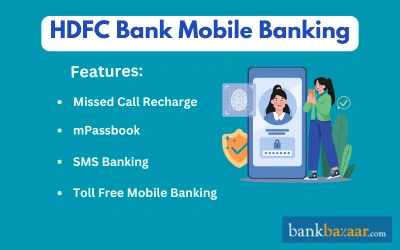
It is possible to make bill payments, pay credit card dues, transfer funds, and check your account balance through this facility. Customers can also open deposits, manage cards, and raise service requests through the app. The MobileBanking app is currently available for Android and iOS device users through their respective app stores.
Features of HDFC Bank Mobile Banking
Some of the key features of the HDFC Bank MobileBanking facility are as follows:
Missed Call Recharge:
- It is possible to get your phone recharged through a simple missed call to the toll-free number 1800 270 3333.
- You need not visit a store or download any app for basic account inquiries.
- You can also check your last 7 days of transactions by calling 1800 270 3355.
- This is one of the most convenient ways to monitor your account instantly.
- The facility is available for all types of devices.
- Transactions are completely secure, as it happens through the account holder’s registered mobile number.
mPassbook
- This is a digitised version of the physical passbook integrated into the MobileBanking app.
- With this feature, you can update your passbook through your mobile phone; hence saving you a visit to the bank branch.
- With this facility, you can also choose to receive regular transaction updates on your Current and Savings accounts.
- Additionally, you can get a summary of your fixed and recurring deposits.
- These details can be viewed on your phone even when you are offline.
- This feature also enables you to track your expenses using the “Smart Tagging” tool and categorize your transactions.
- The mPassbook facility is only available for iOS and Android users and supports up to six months of transaction history for download.
SMS Banking:
- In case you do not have a data plan activated on your phone, or if you are not in possession of a smartphone, you can still avail Mobile Banking benefits through SMS banking.
- This facility allows you to check your account balance, and view account statement and mini-statement by sending an SMS to the centralised number 7308080808.
- Unlike older versions, HDFC now uses an AI-based system where customer can type their query in easy English instead of remembering complex keywords.
Toll Free Mobile Banking:
Using this facility, customers can dial the bank’s new pan-India toll-free numbers 1800 1600 or 1800 2600 from the mobile phone registered with the bank for SMS Banking. These toll-free numbers provide 24/7 access to PhoneBanking services, including emergency blocking of cards and loan inquiries.
Benefits of using HDFC Bank Mobile Banking
- The Mobile Banking facility provides you the same level of security as the HDFC Net Banking feature which is enhanced by the new SIM Binding and RASP (Runtime Application Self-Protection) security layers, which ensure the app only works on your trusted device and blocks remote-access threats.
- If you have registered for SMS Banking, you can avail services both in Hindi and English.
- The MobileBanking app of HDFC now also has the latest AI-based “Natural Language” query system that allows customers to chat without remembering specific keywords.
- SMS Banking is offered absolutely free of cost.
- You do not incur any direct service charges for this service, as you are only using the SMS facility.
- However, you may have to bear a nominal Value Added Services fee for the SMS.
- You can initiate an exhaustive set of financial transactions using the Mobile Banking facility.
- Some of these include placing a request for a cheque book, fixed deposit enquiry, account statement request, request for NetBanking IPIN, etc.
- If you have international roaming activated on your phone, you can access your bank account through SMS Banking from anywhere in the world.
How to Register for HDFC Mobile Banking Services?
- To use HDFC's mobile banking services, you are required to have a net banking customer ID and IPIN provided by the bank.
- Using these credentials, you can easily log in to the app.
- During the first-time registration, the app will perform “SIM Binding,” a security feature of the app that verifies your registered mobile number by sending an automated SMS from your device.
- HDFC Bank also allows customers to use a 4 digit Quick Access PIN (QAP) or also known as mPIN to log in to the app.
- Alternatively, you can also set up biometric log in for the app.
How to Login to HDFC Mobile Banking App?
To login with HDFC's mobile banking services, follow the steps mentioned below:
- Visit the Android or iOS app store and download HDFC's mobile banking app.
- Open the app and finish the OTR by letting the app verify your mobile number via SMS.
- Use your net banking customer ID and IPIN to log in to the app.
- These credentials are provided to you with HDFC's welcome kit when you open an account with the bank.
How to set up the Quick Access PIN?
To set up the Quick Access PIN (QAP), follow the steps mentioned below:
- Visit the Android or iOS app store and download HDFC's mobile banking app and click on the 'SET UP QUCIK ACCESS PIN' visible on the screen.
- Enter your customer ID and mobile number and click on 'Continue'.
- You will receive a one-time password (OTP) on registered mobile number and click on 'Continue'.
- Enter the OTP and provide your debit card details and ATM pin. Click on 'Continue'
- Enter the new PIN and retype it for confirmation. There is also an option to enable fingerprints as a way of authentication, you can choose that.
How to change the Quick Access PIN in HDFC Mobile Banking App?
Customers can easily change the QAP by following these steps:
- Log in to the app and select 'Your Profile' from the menu.
- Select 'Security Center' and tap on 'Manage Quick Login Method' from the options.
- Tap on the 'Change' option and enter the current QAP.
- Enter the new PIN and retype it to confirm the PIN. Retype it to confirm the PIN and ensure it is not a simple sequence like 1234 or 1111.
- After successfully completing these steps, you can log in to the app with the new QAP.
How to Reset the IPIN in HDFC Mobile Banking App?
To change HDFC Bank's IPIN, customers must follow the steps mentioned below:
- Log in to HDFC's mobile banking app.
- Go to the menu and select 'Your Profile' and tap on 'Security Center'.
- Select 'Change Password/PIN' option.
- Enter the old IPIN and create a new one.
- Confirm the new PIN.
- After completing these steps, you can log in using the new IPIN.
HDFC Bank fund transfer options:
If you have an account at HDFC Bank, you can transfer funds through several authorised methods:
- e-Monies Electronic Funds Transfer - This is a facility through which you can transfer funds nation-wide, from any bank branch to another. This method of funds transfer is easier, faster (as there is no requirement for cheque or demand drafts), and more convenient than the conventional options.
- RTGS Funds Transfer - This method of funds transfer can be performed between banks, and the transaction is done in real-time. Since real-time funds transfer is facilitated, it is faster than other methods. Settlement cycles are also quicker and the facility covers wider boundaries.
- Visa CardPay - You can pay a VISA credit card bill using this facility, irrespective of the bank that issued the bill. The service is quick and efficient and can be conveniently accessed from your office/home. The payments are processed at negligible costs and are safe and secure.
- IMPS - The Immediate Payment Service from HDFC Bank is an instant electronic fund transfer service that happens in real time. This service enables you to send and receive money on Bank Holidays, Sundays, or even late at night. The money that is transferred is credited directly to the beneficiary account.
- Unified Payment Interface (UPI) - Through UPI, you can transfer funds in a safer, faster, and hassle-free manner, through a Virtual Payment Address (VPA). You do not need to divulge your personal details such as mobile number, IFSC code, or account number for initiating transactions. Transactions are all secure, as they are authorised through an MPIN, that is known only to the customer. The UPI also allows you to request for fund transfers, unlike other facilities.
HDFC Bank Fund Transfer: Timings, Charges & Limits
Transfer Amount | Charges (exclusive of taxes) |
Up to Rs.10,000 Rs. 1 lakh | Rs.2 + applicable GST per transaction |
Above Rs.10,000 to Rs.1 lakh | Rs.4 Rs.10 + applicable GST per transaction |
Rs.1 lakh to Rs.2 lakh | Rs.14 + applicable GST per transaction |
Above Rs.2 lakh | Rs.24 + applicable GST per transaction |
Note:
- There is no minimum limit. The maximum is determined by your Third-Party Transfer or TPT limit of up to Rs.50 lakh.
- For new beneficiary, you can make a transaction maximum of Rs. 50,000 in first 24 hrs.
Cut-off timing for processing on the same day | |
BRANCH TIMING | NETBANKING TIMING |
Monday to Friday - During branch working hours | Monday to Friday - 6 PM |
Saturday (excluding 2nd and 4th) - During branch working hours | Saturdays, excluding second and fourth - 6 PM |
Note: NEFT is now available 24*7, 365 days. The settlement to beneficiary will be done as per RBI batches
RTGS Transaction Charges at HDFC Bank Branches
RTGS or Real Time Gross Settlement is used for high-value, instantaneous transfers and is available 24/7 on the Mobile App with a brief daily cut-off between 11:30 PM and 00:30 AM.
Cut-off timing for processing on the same day | |
Monday to Friday | 8 AM to 4 PM |
Saturday (excluding 2nd and 4th) | 8 AM to 4 PM |
Note:
- Minimum transaction limit: Rs. 2 Lakh
- Maximum transaction limit: Maximum upto Rs. 50 Lakh per day through NetBanking
- Visa CardPay The limit for Visa CardPay per transaction is Rs.49,999. Also, a fee of Rs.5 (taxes extra) will be applied to each transaction done through Visa CardPay.
IMPS (Immediate Payment Service)
IMPS provides instant credit to the beneficiary and is available 24/7, including holidays.
Slabs | Charges (Excluding Taxes) |
Up to Rs.1,000 | Rs.3.50 + applicable GST |
Rs.1,001 - Rs.100,000 | Rs.5 + applicable GST |
> Rs.100,001 | Rs.15 + applicable GST |
Note:
- There are no charges for inward IMPS transactions, only outward IMPS are charged.
- Daily limit is capped at Rs.5 lakh per day for account-based transfers.
- With effect from 15th March 2021, IMPS Fund Transfer Service is free for all Imperia & Preferred Customers.
Transaction Limits are as Follows
- NEFT Maximum: Rs.50 lakh per transaction
- IMPS using Account number Maximum limit per transaction: Rs.50 lakhs (Maximum amount in a day as per the TPT limits)
- IMPS using MMID Net Banking and Mobile Banking: Rs 5000 per day per Cust ID (on either of the channel)
Note: Limit of Rs 5000 applies on transactions from either of the channels but not from both the channels.
- IMPS using USSD For USSD channel Limit is Rs.5,000 each for IMPS fund transfer using MMID and IMPS Fund transfer using Account number.
- UPI: The limit for each transaction on UPI is Rs.1 lakh. The daily limit is Rs.1 lakh, as well. Also, there are no charges for UPI transactions. However, for specific categories like Insurance, Education, and Healthcare, the limit is up to Rs.5 lakhs.
HDFC Bank Mobile Banking Security Measures
- There will not be any information stored on your SIM card or mobile phone.
- So, in case the phone is stolen or misplaced, your account is completely safe and will not be compromised.
- Additionally, you can call up customer service and report the theft of your phone.
- The bank will then deactivate your IPIN and a fresh one will be issued.
- Only the customer can login to his account with the Customer ID and the Internet PIN (IPIN) that is a confidential field.
- The app is now secured via SIM binding, ensuring it only opens on your registered device.
- All account information will be stored in a 128-bit SSL protected format.
- If the IPIN is entered three times incorrectly in a consecutive manner, the bank blocks the use of the IPIN.
HDFC Mobile Banking Do’s and Dont’s
Here is a list of pointers that you need to follow when you use HDFC Bank Mobile Banking:
Do’s:
- Always protect your mobile phone with a secure password. You should also look to set a maximum number of incorrect password submissions to three.
- When selecting a password, make sure it is strong with alphanumeric and special characters so that your data is safe.
- You should frequently check your account statements for transactions that are unauthorised.
- Your IPIN should be changed on a regular basis.
- If your phone is stolen or lost, report the same to the police and your service provider immediately.
- Also, call the bank at 1800 258 3838 to block your mobile banking access.
Dont’s:
- You should never share your confidential information or PIN with anyone.
- Take care not to reveal this over the internet or the phone at any point of time.
- Do not fall prey to links at social networking sites or in emails that claim to be from the bank.
- Always verify the sender’s address via official banks email as it ends only with hdfc[dot]bank[dot]com.
- Never transfer funds to a recipient without proper verification. You should be aware that once funds are transferred, the process cannot be reversed.
- Don’t store critical information like mobile banking password, user ID, credit card details, etc. anywhere on your phone.
- When your mobile number changes, you should inform the bank of the same, and update your registered number with the bank.
- Don’t write down PINs or retain any information from the bank that specifies your password or PIN.
- Be very careful when you accept offers like caller tunes or download attachments from unknown sources.
- These can contain malware that bypasses your phone’s security.
- Do not use bluetooth devices in public places, as your confidential information may be compromised.
- Be cautious when you browse through unfamiliar websites.
HDFC Missed Call Mobile Recharge
In March 2016, HDFC Bank launched a service to help customers recharge their prepaid mobile number through a missed call. To activate the service, the HDFC account holder should send the following SMS from the mobile number registered with the bank:
- ACT<Telecom Operator Name><Last five digits of your HDFC Account Number>.
- The SMS should be sent to 73 08 08 08 08.
The default amount set for mobile recharges is set at Rs.50. The customer can also set a specific amount to be recharged. The amount should range between Rs.50 to Rs.250. To change the default recharge amount the customer should send the following SMS:
- ACT <Telecom Operator Name><Last 5 digits of the HDFC account number><Mobile number to be added>
Additionally, customers can add up to 4 mobile numbers under this service. To add a new phone number to the service, the following SMS should be sent to the number mentioned above:
- < last 5 digits of the HDFC account number>
- Once the service has been activated, the customer can give a missed call to the same number.
- The amount recharged is deducted from the customer's bank account.
HDFC Bank Customer Care Number
HDFC Bank has moved to centralised toll-free numbers rather than state specific numbers for faster resolution. The old regional landline numbers (e.g., 6160 6161) now require the local city's STD code to be prefixed.
1. Universal toll-free number (India)
For general banking inquiries, credit card support, or personal loan queries, use the primary national toll-free numbers:
- National Helpline: 1800 1600 or 1800 2600
- Emergency security line: To report fraud or block your digital banking access instantly, call 1800 258 3838.
- Alternative Support: For credit card-specific issues, you can also dial 1860 267 6161.
2. Global NRI Phone Banking
Non-Resident Indians (NRIs) can access dedicated assistance through these international toll-free channels:
USA | |
Canada | |
UK | |
Singapore |
3. Local and digital access
- City specific banking: You can reach local PhoneBanking by dialing 6160 61619 (metros) or 6160 616 (other major cities). Remember to prefix these with your specific STD code.
- WhatsApp Banking: For a quick balance check or mini statement, save 70700 22222 and send a “Hi” from your registered mobile number.
- Automated SMS: Use the 7308080808 number for simple text-based questions like “check balance” or “last 3 transactions.”
4. Grievance Redressal:
If your concern remains unresolved even after ten days, you can go to Grievance Redressal Officer at 18—266 4060 (9:30 AM to 5:30 PM, Monday to Saturday, excluding second and fourth Saturdays).
HDFC Mobile Banking App
The rise of Mobile Banking has led to a shift from traditional Branch Banking and even Net banking, with some banks going completely digital without any physical branches. HDFC Bank, a leading private sector bank in India, has also adopted technology to enhance its customer experience. It offers several Mobile Banking apps to simplify banking for its users, including the HDFC Bank Mobile Banking App for retail banking and HDFC Bank PayZapp, which allows users to link their credit cards and pay bills, recharge phones, and send money with just one click.
Key Features of HDFC Bank Mobile Banking App
- The HDFC Bank Mobile Banking App is designed to provide customers with a range of features that make banking easy, secure, and convenient.
- With the app, customers can perform over 120+ banking transactions without the need to visit a branch or use a computer.
- The app ensures high-level security encryption to safeguard customer data and personal information.
- One of the key benefits of the HDFC Bank Mobile Banking App is the convenience it offers.
- Customers can access the app anytime, anywhere, and from any device with an internet connection.
- This allows them to check their account balances, transfer funds, pay bills, and perform other banking transactions from the comfort of their home, office, or while on the go.
- In addition, the app offers a user-friendly interface that is easy to navigate, making it simple for customers to perform their banking tasks quickly and efficiently.
- The app also allows customers to customize their account settings, set up alerts and notifications, and track their transactions in real time.
- Overall, the HDFC Bank Mobile Banking App is an essential tool for customers looking to manage their banking needs on the go.
Advantages of Using the HDFC Bank Mobile Banking App
HDFC Bank Mobile Banking App | Description |
Quick and Secure Log-In | Multi-level authentication for safe transactions. Fingerprint login. |
All-in-One View | Single View Dashboard displays all accounts/product holdings. |
Instant Funds Transfer | Faster and easier transfer of funds. Auto-selects between IMPS / UPI / NEFT. |
Easy Share | Share payment receipts once the transaction is complete. |
Adding Favourites | Create a list of frequent transactions for quick payment. |
Organized Bill-Pay | Pay utility bills instantly for mobile bills, cable TV, electricity, gas, etc. |
Automatic Payments | Set up automatic payments to avoid missing due dates. |
Credit Card Linking | Link and view all credit card transactions, make payments, and view reward point status. |
Swipe to Block | Hotlist lost credit or debit card immediately. |
Invest | Check Demat Account balances and manage investments through HDFC Securities App. |
Value-Added Services | Update profile information, Aadhaar card number, download e-TDS certificate, apply for new savings accounts or credit cards, apply for loans, buy or renew insurance, and buy e-Gift and Forex Cards. |
Customer Support | Get in touch with the relationship manager with a single click. |
How to download and register on the HDFC Bank Mobile Banking App?
Here are the detailed steps to download and register on the HDFC Bank Mobile Banking App:
Step 1: Go to the Google Play Store or Apple App Store on your smartphone.
Step 2: Search for ‘HDFC Bank Mobile Banking’ and download the app.
Step 3: Once the app is downloaded, open it and select ‘Register’ to begin the registration process. The app will ask for permissions to manage SMS and calls; allow these to enable the mandatory “SIM binding” security feature.
Step 4: Enter your Customer ID and registered mobile number. You will receive an OTP (One Time Password) on your registered mobile number.
Step 5: Enter the OTP and set up a new password for the Mobile Banking App. Make sure to create a strong password.
Step 6: After setting up the password, you can log in to the app using your Customer ID and the newly created password.
Step 7: If you want to set up Quick Access PIN or Fingerprint lock, go to the ‘Settings’ option in the app and select ‘Security Settings’. From there, you can set up your preferred mode of login. You can also enable a biometric lock.
Note: Once the registration process is complete, you will have access to all the mobile banking services offered by HDFC Bank, including fund transfers, bill payments, account balance check, and much more. Remember to keep your login details safe and never share them with anyone. Also, make sure to log out of the app once you are done using it.
HDFC Bank Mobile Banking App services
- The app provides an easy and secure way for customers to manage their finances anytime and anywhere.
- With its user-friendly interface and advanced security features, customers can perform various banking activities without visiting a bank branch or using a computer.
- The app offers a comprehensive range of services, including account enquiries, fund transfers, bill payments, and service requests.
- Customers can also use the app to open fixed and recurring deposit accounts, block their cards in case of loss or theft, and locate branches and ATMs.
- The fund transfer feature allows customers to transfer funds instantly using various modes like NEFT, IMPS, and RTGS.
- They can also manage and regenerate MMID, make credit card payments, and perform other transactions using the app.
- The app's service request feature enables customers to request services like primary account change, stop cheque payment, chequebook issue, HDFC debit card pin generation, and apply for a new account, making banking more convenient.
- The app's bill payment and recharge feature allows the customers to pay their bills for utilities, mobiles, and DTH services, and even set standing instructions for future payments, providing an easier and hassle-free way to manage their bills.
- In summary, the HDFC Bank MobileBanking app offers a comprehensive range of banking services that are easily accessible and secure.
- Its user-friendly interface and advanced security features make it a popular choice among customers who prefer to manage their finances digitally.
HDFC PayZapp App:
Features and benefits of the HDFC PayZapp App
- Payment app: HDFC PayZapp is a payment app that can be used to make various kinds of transactions, such as recharge, bill payment, travel booking, shopping, movie ticket booking, and more.
- Available for all banks: PayZapp is available for customers of all banks, not just HDFC Bank customers, making it accessible to a wider user base.
- BharatQR Payments: PayZapp supports BharatQR payments, which can be made using mVisa QR, MasterPass QR, and Rupay QR.
- Mobile Recharge: You can use PayZapp to recharge your mobile, DTH and data card.
- Bill Payments: PayZapp can be used to pay utility bills such as electricity, water, gas, and more.
- Travel Bookings: PayZapp can be used to compare and book flight tickets, bus and hotel reservations.
- Shopping: You can use PayZapp to shop for various products, including groceries, music, and more.
- Movie Tickets: PayZapp allows users to book movie tickets online.
- SmartBuy: PayZapp offers great deals and discounts through its SmartBuy feature.
- Debit Card Linking: In order to use PayZapp, you need to link your debit card with your PayZapp account. The money is directly debited from your account linked with the card.
- Proprietary Technology: PayZapp uses proprietary technology that conducts three security checks for each transaction, ensuring the safety of all your transactions.
Note: In any digital banking app, security is a top priority, especially when dealing with sensitive bank details that, if misused, could result in significant losses for both the customer and the bank. HDFC Bank Mobile Banking provides a level of security that is comparable to HDFC Bank Net Banking. The app ensures enhanced security by using 128-bit SSL protection for all information.
Savings Account Popular Pages
- Savings-account
- Best Zero Balance Savings Account for Indian Citizens
- Post Office Savings Account
- HDFC Bank Savings Account
- Axis Bank Savings Account
- Union Bank of India Savings Account
- Punjab National Bank Savings Account
- Savings Account Interest Rates 2026
- Savings Bank Accounts v/s Current Accounts
- SBI Missed Call Balance Check
- Kotak 811 - Zero Balance Savings Account
Savings Account Trending Pages
- Internet Banking
- SBI Online Netbanking
- PNB Net Banking
- IDBI Bank Net Banking
- Canara Bank Net Banking
- Bank of Baroda Net Banking
- Union Bank Of India Net Banking
- IndusInd Net Banking
- Axis Bank Net Banking
- HDFC NetBanking
- SBI Mobile Banking
- Axis Bank Mobile Banking
- Bank of Baroda Mobile Banking (BOB M Connect)
- How to Activate SBI SMS/Mobile Banking for the First Time
- HDFC SMS Banking
FAQs on HDFC Bank Mobile Banking 2026
- How do I start the HDFC Bank mobile banking service?
To begin, download the HDFC Mobile Banking app and log in using your Customer ID and IPIN. You can also set up a Quick Access PIN or fingerprint login for easy access.
- What is customer ID?
Customer ID is the special identification number assigned to you by the bank.
- Who is eligible to use the HDFC Bank Mobile Banking app?
All customers who currently have an active IPIN and HDFC Bank net banking login can use this app.
- Do I have to pay any charges to use HDFC Bank mobile banking?
No, customers of HDFC Bank are given access to the HDFC Bank mobile banking app at no cost.
- Can I use HDFC Bank mobile banking while travelling internationally?
Yes, you may use HDFC Bank mobile banking from anywhere in the country provided your mobile number has GPRS enabled. Please be aware that using GPRS may result in additional roaming fees.
- Will HDFC Bank deactivate my mobile banking if I don't use the service for a while?
No, the mobile banking facility will not be deactivated even if you do not use it for 999 days.
- Why can't I download HDFC Bank mobile banking?
This happens if the GPRS network of your service provider is congested. You may wait for some time before trying again.
- Is it possible to add new payees through the HDFC mobile banking app?
New payees can be added through HDFC Bank mobile banking. You can start making payments through mobile banking after logging in. Note that there is a waiting period of 30 minutes after registration.
- What if I change my mobile number on the HDFC mobile banking app?
If you change your mobile number, you cannot simply continue using the app. You must update your number with the bank first (via ATM or Branch), and then re-register the app because the SIM Binding will fail with a new number.
- What if I lose service or my phone dies while completing a HDFC bank transaction?
You can see if the transaction has been completed by re-connecting to HDFC Bank mobile banking and checking your transaction history.
- How can I be sure that HDFC Bank mobile banking is not being used to make any unauthorised payments?
You initiate and approve all payments done using your HDFC Bank mobile banking. Make sure to keep your IPIN and Customer ID confidential and do not forget to log out of the app after completing the transaction.
- How can I use HDFC Bank mobile banking to pay my bill?
After logging into your mobile banking account, visit the bill payment tab and may the payment to the registered payee.
- How can I deactivate HDFC Bank mobile banking?
To fully deactivate, you must deregister via NetBanking (Security Manage App section) or visit a branch to revoke mobile banking access.
- How do I use HDFC Bank mobile banking to send money via NEFT?
To use HDFC Bank mobile banking to send money via NEFT, you need to use your customer ID and IPIN to log in to your account. Click on the ‘Funds Transfer’ option and choose the ‘External Bank’ option.

Disclaimer
Credit Card:
Credit Score:
Personal Loan:
Home Loan:
Fixed Deposit:


Copyright © 2026 BankBazaar.com.